The right choice depends less on the detector brand than on the condition of your X-ray room, the work your department performs, and the interfaces your current equipment can support. By comparing retained equipment, installation scope, compatibility, workflow, and total ownership cost, you can decide whether to retrofit the room or replace it with a new DR configuration.
Key takeaways
- Retain the room when the X-ray generator, bucky, and exposure control remain serviceable.
- Confirm detector size, connection type, load rating, and calibration before ordering a Varex panel.
- Test generator interface, DICOM worklist, PACS routing, and exposure workflow before clinical use.
- Compare installation time, service response, software licensing, and downtime—not detector price alone.
When an Existing X-Ray Room Should Receive a DR Upgrade
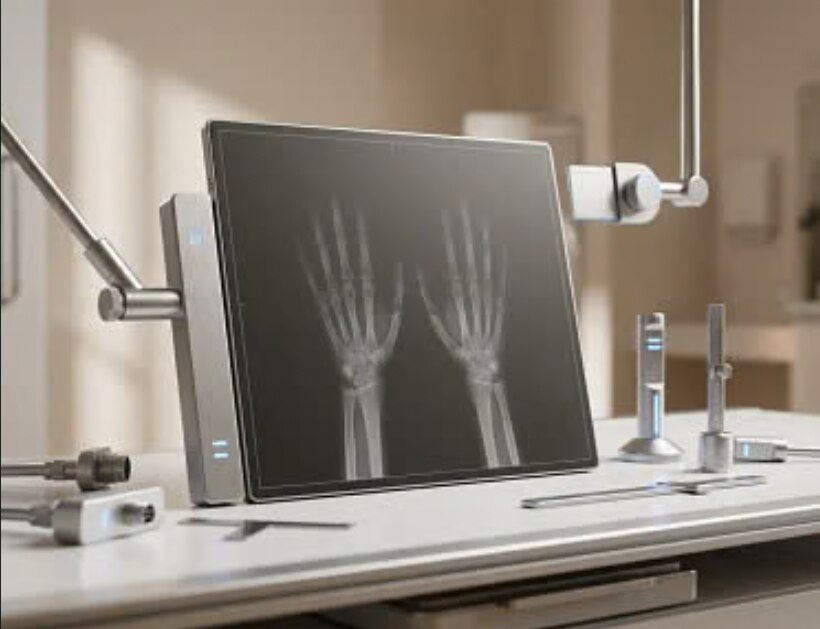
Retain the room when its core hardware is sound. A cassette-sized wireless detector added to a serviceable room is a narrower DR upgrade solution in Nashik than a retrofit involving the bucky, generator interface, acquisition workstation, and exposure control.
| Option | Components retained | Scope |
|---|---|---|
| Detector-only upgrade | X-ray tube, generator, wall stand, table, collimator, and bucky | Add the wireless detector, software, workstation, and required interface |
| Integrated retrofit | Serviceable tube, stand, table, and collimator | Modify or replace the bucky, connect the generator, configure exposure signaling, and install acquisition and DICOM systems |
| Complete room replacement | None of the unreliable core equipment | Replace the generator, tube, table, wall stand, bucky, collimator, detector, and control workflow |
Choose an upgrade when the tube produces consistent output, the generator is reliable, the collimator functions correctly, the wall stand and table have sound mechanics, and radiation and quality checks pass.
Confirm that the detector fits safely and that the system provides dependable exposure signaling through generator synchronization, automatic exposure detection, an integrated interface, or manual software initiation.
Choose complete replacement when the generator is obsolete or unstable, the tube has reached its service limit, the stand or table cannot safely accept the detector, the collimator is inaccurate, or exposure signaling cannot be trusted.
A department comparing a DR upgrade solution or Varex DR panel for radiology departments in Nashik must not compare a detector-only quotation with a complete-room quotation; the retained components, installation work, testing, and downtime are fundamentally different.
What a DR Upgrade Includes and How Much Installation Work It Requires
A genuine DR upgrade solution in Nashik includes more than a detector. Its scope must name the detector, acquisition workstation, image-capture software, detector interface, generator integration, bucky modification, workstation installation, DICOM routing, calibration, acceptance testing, staff training, and post-installation support.
1. Complete a site survey before installation. Record detector dimensions, mounting space, cable paths, electrical supply, network points, generator model, room-shielding records, and PACS/RIS details. The survey is not installation work.
2. State the supplied and retained items in writing. Include the detector and interface, workstation and software, generator-trigger method, bucky or cassette-tray modification, DICOM configuration, calibration, and acceptance tests for uniformity, artefacts, exposure index, spatial resolution, patient-data accuracy, image transfer, and repeat-image handling.
3. Schedule room downtime for mechanical fitting and workstation installation. The engineer then configures software and DICOM routing, tests generator triggering, sends images through the actual PACS connection, calibrates the system, and trains operators. Plan clinical go-live support for the first working sessions.
4. Make the quotation identify who configures PACS, creates the Modality Worklist, supplies radiation-safety documentation, updates quality-assurance records, and removes the old cassette workflow. Require the expected downtime, generator model compatibility, and post-installation response terms; otherwise a low equipment price can conceal prolonged service disruption.
How to Check Whether a Varex DR Panel Fits and Works in the Room
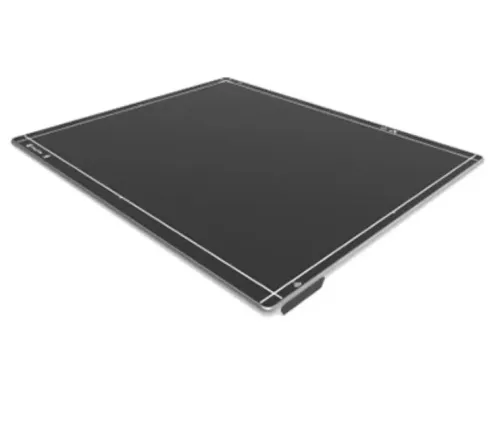
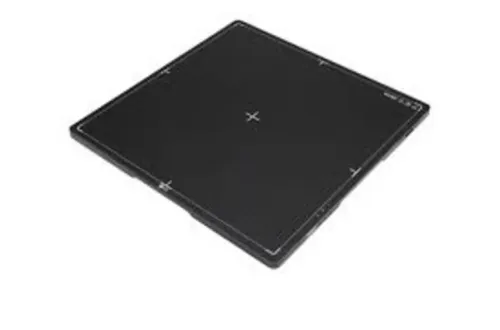
A Varex detector is not a drop-in replacement until its mechanics, interface, and workflow are proven in your room. A 35 × 43 cm panel suits upright chest and general radiography; a 43 × 43 cm panel reduces positioning compromises but adds weight, cost, and fitting difficulty.
Use this written checklist for a Varex DR panel radiology department purchase:
1. Request the exact detector part number and current interface documentation, not only “Varex panel” or “LUMEN HD.” Record external dimensions, active area, thickness, image-centre position, pixel pitch, image matrix, stated spatial resolution, weight, load rating, IP rating, operating-temperature range, and scintillator type.
2. Confirm the battery type, charging method, wireless frequency, wired fallback, published image-acquisition time, cycle time, battery runtime, and warranty for the exact model offered. Obtain replacement-battery pricing, lead time, warranty terms, and exclusions for accidental damage, drops, fluid ingress, cleaning agents, and overload.
3. Check cassette or bucky fit, insertion clearance, detector orientation, mounting method, cable paths, generator trigger, and acquisition-software compatibility. Require the supplier to name the required interface hardware and supported operating conditions.
4. Inspect the detector physically inside the upright stand, table, and any proposed holder before issuing the purchase order. Measure the active field, not just the housing.
An “x ray dr panel in Nashik” search or a “Varex detector India” offer does not prove local calibration, replacement logistics, or support. Make the physical fit check and fallback workflow acceptance conditions.
How to Verify Generator, Software, DICOM, and Clinical Workflow Compatibility
Compatibility is proven only when the detector captures an exposure from the installed X-ray unit, identifies the correct patient, and sends a readable study to PACS. A supplier demonstration cannot establish that a DR upgrade solution or Varex DR panel for radiology departments in Nashik will work in your room.
Require the quotation to state the supported generator models and the trigger method: generator synchronisation, automatic exposure detection, integrated exposure signalling, or manual software initiation. Verify these items before purchase:
- DICOM Modality Worklist, patient and study reconciliation, accession-number handling, DICOM Storage, transfer syntax, character set, and burned-in annotation policy.
- Rejected-image handling and repeat-image tracking, including who can delete, retain, or flag repeated exposures.
- Detector calibration, uniformity, artefact, exposure-index, spatial-resolution, and image-transfer tests performed on the installed X-ray unit and PACS connection.
Panel arrangement affects daily throughput:
| Option | Best fit | Main dependency |
|---|---|---|
| Fixed wired panel | Predictable chest and table work | Correct bucky fit and permanent cabling |
| Wireless portable panel | Emergency, trauma, and mobile positioning | Battery, charging, network, cleaning, and damage control |
| Two panels | High-volume rooms with frequent repositioning | Higher cost, calibration, and asset management |
Before clinical use, test patient-data accuracy and repeat workflow, then review AERB registration or licensing, radiation-survey requirements, and updated quality-assurance records if the modification changes the equipment configuration. A wireless choice also needs a tested fallback for battery failure or lost network coverage.
How to Compare Total Cost, Support, and Risk in Nashik
The better quotation is the one that lowers operating risk after installation, not the one with the smallest detector price. Compare the complete installed cost, including the items below.
| Option | Retained or added scope | Main cost and risk |
|---|---|---|
| DR upgrade solution | Retains serviceable tube, generator, table, stand, and collimator; adds detector, software, interface, workstation, and DICOM integration | Lower capital cost, but generator-trigger and mechanical-fit risks require testing |
| Varex detector | Adds the exact Varex model, battery system, charger, mounting, and acquisition software to the existing room | Imported supply can leave calibration, replacement, warranty, and loaner-panel gaps |
| Complete replacement | Replaces incompatible or unreliable room components | Higher capital cost, but fewer legacy-interface dependencies |
Require line-item prices for the detector, acquisition software, generator or bucky interface, workstation, PACS/RIS integration, batteries, charger, mechanical fitting, calibration, training, annual support, preventive maintenance, and downtime. Put accidental-damage coverage, replacement logistics, loaner-panel availability, battery replacement, warranty exclusions, and maximum repair turnaround in separate terms.
Pixel pitch or a “low-dose” claim cannot decide value. Demand image-quality testing that defines beam quality, exposure conditions, processing, and dose, with IEC 62220-1 DQE measurement where applicable. Searching “Varex detector India” or “X-ray DR panel in Nashik” does not prove local support.
Spark Medical Services can document the room survey, retained components, exact Varex model, interface, DICOM deliverables, acceptance tests, and responsibilities in one scope.
Finish with a signed acceptance checklist and written fallbacks for generator-trigger failure, wireless loss, and detector downtime.
Related products
 | DR System ₹950000 The LUMEN HD Detector by Varex Imaging represents a major advancement in digital radiography technology. View product → |
 | Portable DR (Digital Radiography ) System -We Provide sales and service to all types of DR -Our Portable DR System offers a compact, high-performance... View product → |
Frequently asked questions
When should a Nashik radiology department choose a DR upgrade?
Choose a DR upgrade when the existing X-ray room, generator, bucky, tube stand, and exposure control are serviceable. A cassette-sized wireless detector suits a room that needs digital capture without replacing every major component.
What work does a DR upgrade installation involve?
Installation can include mounting or fitting the detector, configuring the acquisition workstation, connecting the generator interface, setting exposure control, calibrating images, configuring DICOM destinations, and testing the clinical workflow.
How can a department check whether a Varex DR panel fits its X-ray room?
Check the panel’s detector dimensions, active area, weight, wireless or tethered connection, battery and charger requirements, bucky compatibility, table and wall-stand clearances, load rating, and environmental operating limits against the room and equipment.
What compatibility tests should be completed before clinical use?
Verify generator exposure triggering, detector synchronization, acquisition software, DICOM worklist and modality worklist settings, image routing to PACS, printer output, patient demographics, exposure index display, and repeat-image handling.
How should departments compare the total cost of a DR upgrade and a Varex panel?
Compare the detector and software with installation, calibration, generator interfacing, DICOM configuration, staff training, warranty terms, battery replacement, service response in Nashik, downtime, and the cost of replacing incompatible room hardware.
Keywords